
Full Control
The AI programs it. You stay in full control.
The DaoAI ACI OS — Adjust inspection thresholds, generation rules and inspection regions to suit your process. Choose where changes apply and keep control when the AI updates the program.
Full control is the division of labour in DaoAI's (微链道爱) ACI OS: the AI does the programming, people keep the decisions. Thresholds, generated rules and inspection regions are all adjustable, and a change can be scoped to one component, one package type or the whole board. The boundary with "black-box AI" is explainability and intervention — every decision shows its basis, can be overridden, and leaves an audit record.
| Set It First | Configure before auto-programming Choose which inspection regions and checks to generate before running auto-programming. |
Choose which inspection regions and checks to generate before running auto-programming.
| Change Once | Applies to every component of that kind Apply a change to one position, a part-number group or an entire package type. You choose the scope. |
Apply a change to one position, a part-number group or an entire package type. You choose the scope.
| Your Settings Stay | Manual settings are preserved Your manual settings are retained when you rerun auto-programming. |
Your manual settings are retained when you rerun auto-programming.
Four levels of control.
Override the AI at exactly the scope you need.
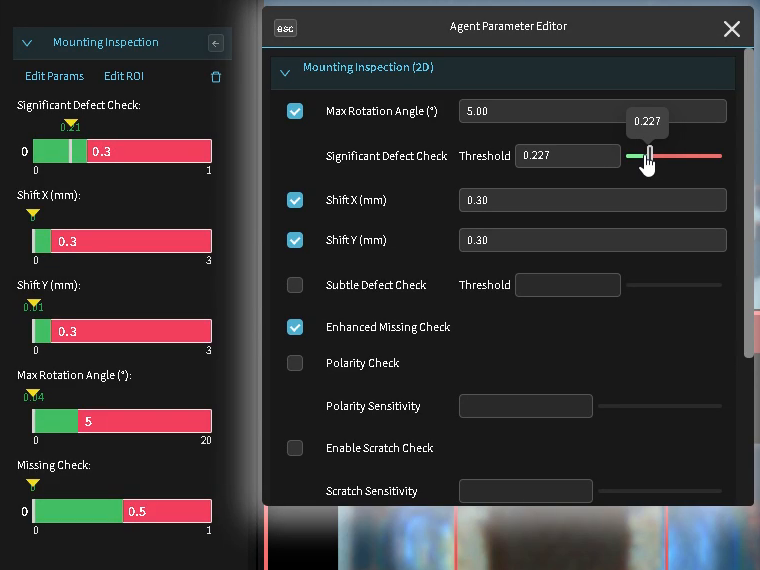
Adjust any threshold
Adjust DaoAI ACI's generated thresholds and review how the changes affect inspection results. Define the range available to AI updates, or disable AI updates for that check.
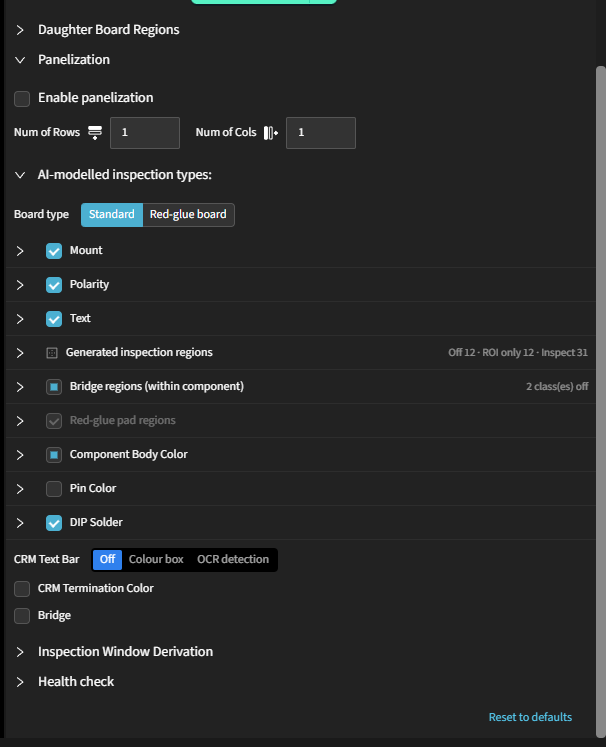
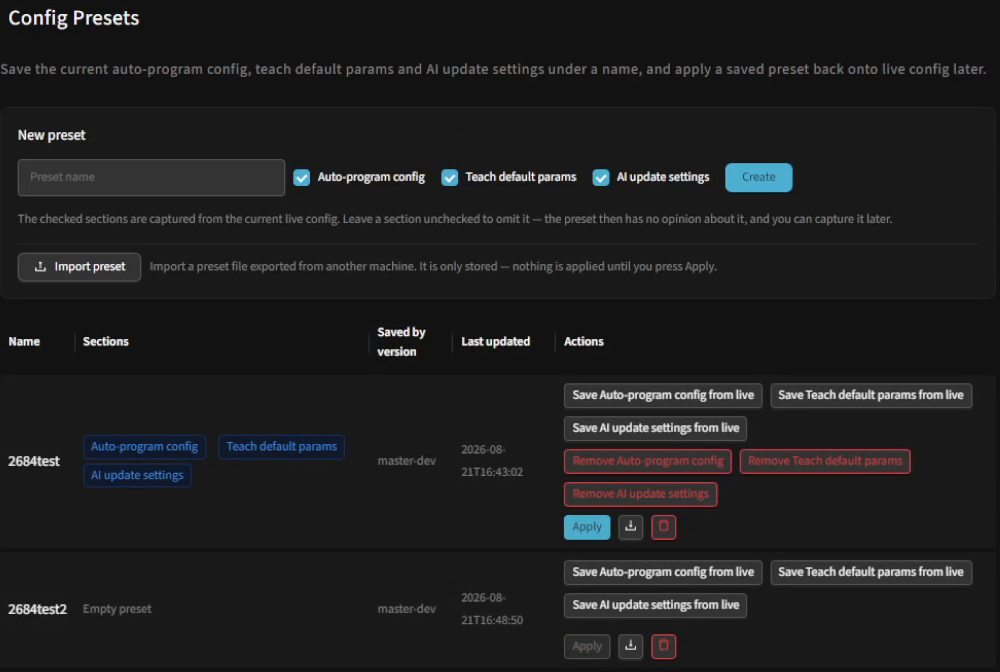
Set the rules for a whole package type
Set inspection rules for each package type instead of editing components individually. Save them as presets to reuse on other products.
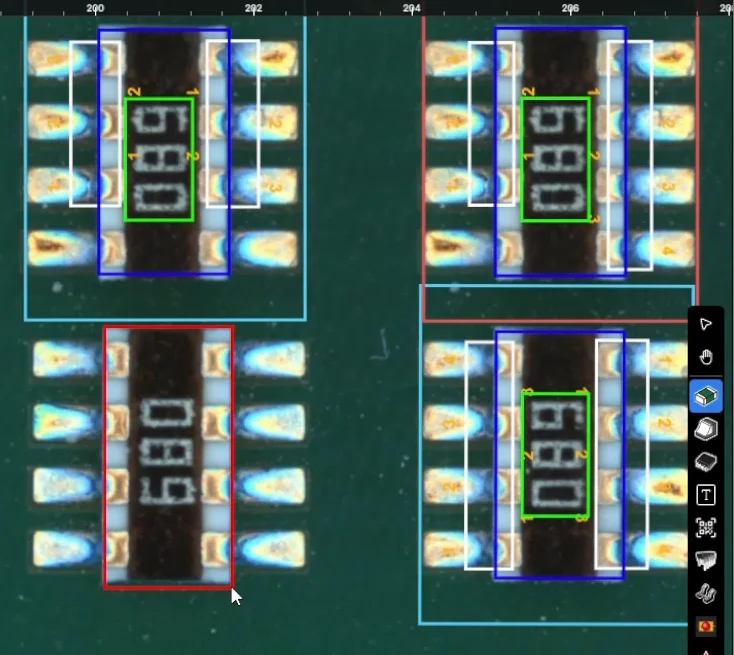
Add a component or inspection region
Draw an inspection box around a component or feature that was not detected. DaoAI ACI learns its parameters from the golden board and adds it to the inspection program.
Train your own model
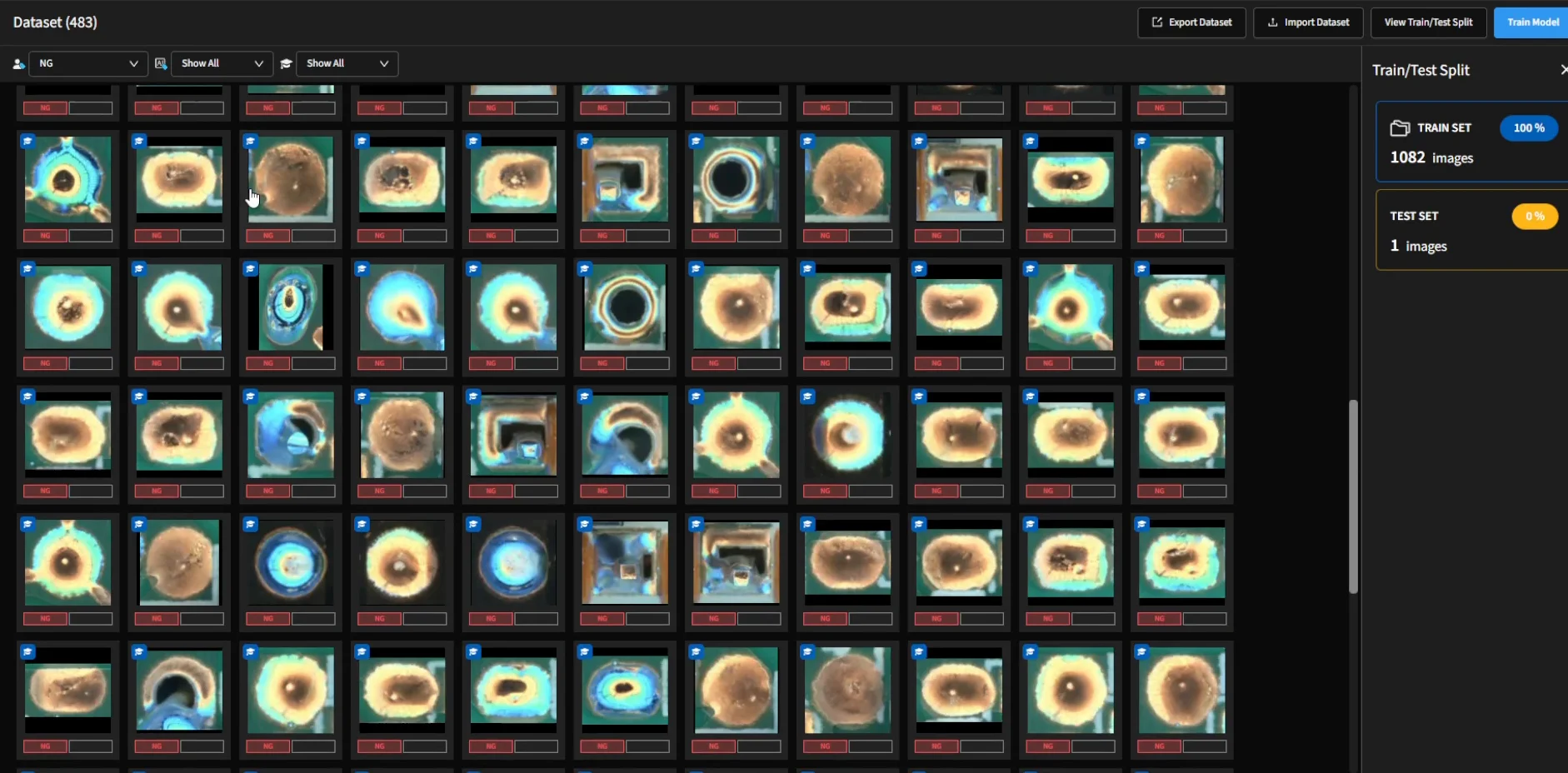
Train a custom model on your own images for niche defects specific to your products, then apply it to selected inspection regions.
The whole list.
Explore the controls available in the software, grouped by what they affect.
What it generates
| Inspection box size | Preset box sizes for each package type. |
| Pad, pin and bridge regions | Generate and inspect, generate only, or skip. |
| Sensitivity | Set as a percentage, per check. |
| Alignment marks | Placed for you, or click the centres yourself. |
How it judges
| Any threshold | Adjust while reviewing inspection measurements. |
| Locked values | Keep selected parameter values fixed. |
| Which inspections run | Enable or disable checks by package type. |
| Judgement criteria | Edit solder joint acceptance limits. |
Where it looks
| Your own regions | Draw a box anywhere on the board. |
| What runs inside it | Choose the inspection for a region you drew. |
| Panel layout | Draw one region, every sub-panel is found. |
| Region geometry | Move and resize anything that was generated. |
What it learned
| Report a false call | From the review screen, during production. |
| What goes into training | Remove any report from the dataset before training. |
| Your own model | Collect, label, train, check, apply. |
| Turn a model off | For one group, without affecting the rest. |
What things are called
| Designators and part numbers | From a CAD file, or typed in. |
| Grouping level | One position, a part number, a package, a class. |
| Ambiguous characters | Set equivalent characters, such as 0 and O. |
Who may do it
| Permission per level | Program, tune and train—or inspect only. |
| Undo | Revert supported changes. |
Your manual settings take priority.
Auto-programming and model updates preserve your manual settings. Locked parameters remain fixed at the values you choose.
Four questions we get every time.
Do I have to fix regions one at a time?
No. Set inspection rules for a package type to apply them across the group. Save the rules as presets to reuse on other products.
If I change something, will the AI change it back?
Auto-programming and model updates preserve your manual settings. Locked parameters remain fixed at the values you choose.
Can I disable solder or bridge inspection for a specific package type?
Yes. Choose whether the corresponding regions are generated and inspected, generated without inspection, or skipped.
Can we train a model for product-specific defects?
Yes. DaoAI ACI trains a custom model on your own images. See Model Training for the collection, labelling, training and evaluation workflow.
See how your settings stay in place.
Join a DaoAI engineer for a 30-minute demo. Adjust inspection settings, rerun auto-programming and see how your manual changes are preserved.
Everything on this page applies to a program the machine wrote from one golden board, in 30 seconds to 5 minutes.